Miro Board Guide: Features, Uses & Collaboration Benefits
In today’s fast-paced digital world, teams need tools that go beyond simple communication—they need spaces where ideas can come alive visually. That’s exactly where the Miro board shines. Whether you’re brainstorming, planning projects, or designing workflows, Miro transforms the way individuals and teams collaborate in real time.
From startups to global enterprises, professionals rely on Miro boards to organize ideas, improve productivity, and streamline communication. This complete guide explores everything you need to know—from core features to advanced use cases—so you can fully understand how this powerful tool can elevate your workflow.
What Is a Miro Board
A Miro board is a digital, cloud-based whiteboard that allows users to collaborate visually in real time. Unlike traditional whiteboards, which are limited by physical space and accessibility, Miro boards offer infinite canvas space where teams can create, edit, and share ideas from anywhere in the world.
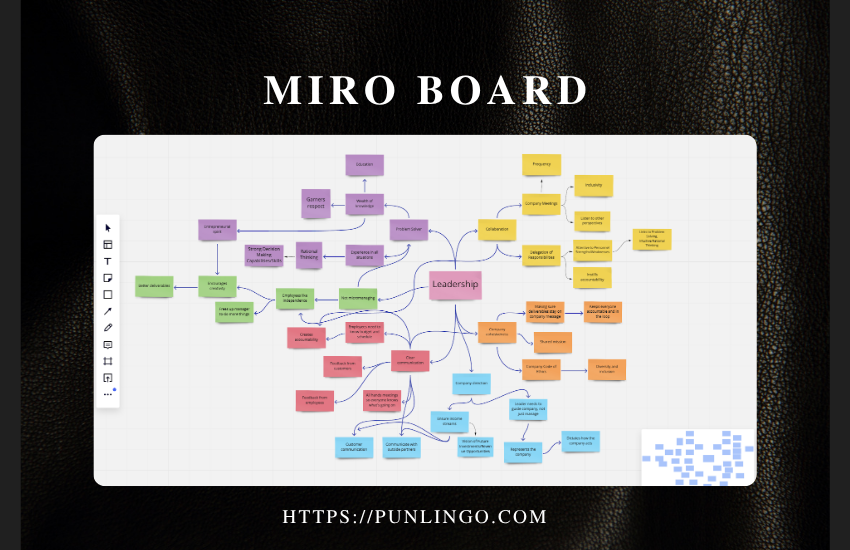
The platform is designed to support various workflows, including brainstorming sessions, agile planning, product design, and remote collaboration. Users can add sticky notes, diagrams, images, and documents, making it a versatile tool for different industries. Its intuitive interface ensures that even beginners can quickly get started without a steep learning curve.
What makes a Miro board particularly powerful is its ability to bring distributed teams together. Whether you’re working remotely or in a hybrid environment, it creates a shared visual workspace that enhances communication and creativity. This makes it a go-to solution for modern teams seeking efficiency and innovation.
Key Features of Miro Board
Miro offers a wide range of features that cater to both individual users and large teams. One of its most notable features is the infinite canvas, which allows users to expand their workspace without limitations. This is especially useful for complex projects that require extensive planning and visualization.
Another key feature is real-time collaboration. Multiple users can work on the same board simultaneously, making it ideal for team meetings and brainstorming sessions. The platform also includes tools like sticky notes, mind maps, flowcharts, and templates that simplify the process of organizing ideas.
Additionally, Miro integrates with popular tools such as Slack, Jira, and Google Drive. These integrations enhance productivity by allowing users to connect their existing workflows seamlessly. The combination of flexibility and functionality makes Miro a comprehensive solution for collaborative work.
How Miro Board Works
Understanding how a Miro board works is essential for maximizing its potential. At its core, the platform operates as a shared digital workspace where users can create and organize content visually. Once you create a board, you can invite team members to collaborate by sharing a link or granting access permissions.
Users can add various elements to the board, including text, shapes, images, and connectors. These elements can be arranged freely, allowing for creative expression and structured planning. The drag-and-drop functionality makes it easy to customize the layout according to your needs.
Miro also supports real-time updates, meaning any changes made by one user are instantly visible to others. This eliminates the need for constant back-and-forth communication and ensures everyone stays on the same page. The platform’s simplicity and efficiency make it accessible to users of all skill levels.
Benefits of Using Miro Board
Using a Miro board offers numerous benefits, particularly for teams that rely on collaboration and creativity. One of the main advantages is improved communication. Visual representations of ideas make it easier for team members to understand complex concepts and contribute effectively.
Another benefit is increased productivity. By centralizing all information in one place, Miro reduces the need for multiple tools and platforms. This streamlined approach saves time and minimizes confusion, allowing teams to focus on their goals.
Additionally, Miro supports remote and hybrid work environments. It bridges the gap between team members who may be located in different parts of the world. This flexibility ensures that collaboration remains seamless, regardless of physical distance.
Miro Board for Team Collaboration
Team collaboration is at the heart of Miro’s functionality. The platform enables teams to work together in real time, regardless of location. This makes it an ideal solution for remote teams and organizations with distributed workforces.
One of the standout features for collaboration is the ability to host live sessions. Teams can brainstorm, plan, and review projects together using the same board. This interactive approach fosters engagement and encourages participation from all members.
Miro also includes tools for feedback and communication, such as comments and reactions. These features allow team members to share their thoughts and suggestions directly on the board. As a result, collaboration becomes more dynamic and effective.
Use Cases of Miro Board
Miro boards are incredibly versatile and can be used in a variety of scenarios. Some of the most common use cases include brainstorming sessions, project planning, and product design. The platform’s flexibility allows it to adapt to different workflows and industries.
Here are some popular use cases:
- Brainstorming and idea generation
- Agile sprint planning
- User journey mapping
- Mind mapping
- Workshop facilitation
Each use case benefits from Miro’s visual approach, which enhances clarity and creativity. Whether you’re a designer, developer, or manager, Miro can support your specific needs.
Miro Board for Agile and Scrum Teams
Agile and Scrum teams rely heavily on collaboration and iterative processes, making Miro an excellent tool for their workflows. The platform provides templates specifically designed for agile methodologies, including sprint planning boards and Kanban systems.
Teams can use Miro to visualize tasks, track progress, and manage workflows. This helps ensure that everyone is aligned and aware of project goals. The ability to update boards in real time also supports quick decision-making and adaptability.
Miro’s integration with tools like Jira further enhances its usefulness for agile teams. By connecting these platforms, teams can synchronize their tasks and maintain consistency across their workflows.
Miro Board Templates and Examples
One of the most useful features of Miro is its extensive library of templates. These templates are designed to help users get started quickly and efficiently. Whether you’re planning a project or conducting a workshop, there’s likely a template available to suit your needs.
Templates cover a wide range of use cases, including SWOT analysis, customer journey mapping, and brainstorming sessions. They provide a structured framework that simplifies the process of organizing ideas.
Using templates not only saves time but also ensures consistency in your work. They serve as a starting point, allowing you to focus on content rather than design.
Miro Board vs Other Collaboration Tools
When comparing Miro with other collaboration tools, it stands out for its visual approach and flexibility. While tools like Trello and Notion offer strong organizational features, Miro excels in visual collaboration.
| Feature | Miro | Trello | Notion |
|---|---|---|---|
| Visual Whiteboard | Yes | Limited | Limited |
| Real-Time Collaboration | Yes | Yes | Yes |
| Templates | Extensive | Moderate | Moderate |
| Infinite Canvas | Yes | No | No |
This comparison highlights Miro’s unique strengths, particularly in creative and collaborative environments. It complements other tools rather than replacing them entirely.
Pricing Plans and Subscription Options
Miro offers several pricing plans to accommodate different user needs. These plans range from a free version with basic features to premium options with advanced capabilities.
| Plan | Features |
|---|---|
| Free | Limited boards, basic features |
| Starter | More boards, collaboration tools |
| Business | Advanced features, integrations |
| Enterprise | Custom solutions, security |
The free plan is ideal for individuals or small teams, while larger organizations may benefit from the business or enterprise plans. Each tier is designed to provide value based on the level of usage and requirements.
Miro Board for Education
Miro is not just for businesses—it’s also widely used in education. Teachers and students can use the platform to create interactive lessons, collaborate on projects, and visualize concepts.
The visual nature of Miro makes it particularly effective for learning. Students can engage with content in a more dynamic way, which enhances understanding and retention.
Educators can also use templates to design lesson plans and activities. This makes teaching more organized and efficient, especially in remote or hybrid learning environments.
Security and Privacy Features
Security is a critical consideration for any digital tool, and Miro takes this seriously. The platform includes features such as data encryption, secure access controls, and compliance with industry standards.
Users can manage permissions to control who can view or edit boards. This ensures that sensitive information remains protected. Miro also provides options for private boards and secure sharing.
These security measures make Miro a reliable choice for organizations that handle confidential data. It balances accessibility with protection, ensuring a safe user experience.
Tips for Using Miro Board Effectively
To get the most out of Miro, it’s important to use it strategically. Start by organizing your board clearly, using sections and labels to keep content structured. This makes it easier for team members to navigate.
Here are some practical tips:
- Use templates to save time
- Keep boards organized with frames
- Collaborate in real time during meetings
- Use comments for feedback
These strategies can significantly improve your experience and productivity. By using Miro effectively, you can maximize its potential as a collaboration tool.
Common Challenges and Solutions
While Miro is a powerful tool, users may encounter some challenges. One common issue is the overwhelming nature of the infinite canvas, especially for beginners. This can be addressed by using templates and organizing content into sections.
Another challenge is managing large teams on a single board. Too many users can lead to clutter and confusion. Setting clear guidelines and roles can help maintain order.
Technical issues, such as connectivity problems, may also arise. Ensuring a stable internet connection and using updated software can minimize these issues. With the right approach, these challenges can be easily managed.
Future of Miro Board and Digital Collaboration
The future of digital collaboration is closely tied to tools like Miro. As remote work continues to grow, the demand for visual collaboration platforms is expected to increase.
Miro is likely to introduce new features and integrations to stay ahead of the curve. Innovations in artificial intelligence and automation could further enhance its capabilities.
The platform’s adaptability ensures that it will remain relevant in an evolving digital landscape. For individuals and organizations alike, Miro represents the future of collaborative work.
Key Features Summary Table
| Category | Details |
|---|---|
| Platform Type | Online Whiteboard |
| Best For | Collaboration, Planning |
| Integrations | Slack, Jira, Google Drive |
| Accessibility | Web, Mobile |
Conclusion
Miro board has transformed the way people collaborate, offering a powerful and flexible platform for visual communication. From brainstorming sessions to complex project planning, it provides the tools needed to bring ideas to life.
Its combination of features, ease of use, and adaptability makes it a valuable resource for teams across industries. Whether you’re a student, professional, or educator, Miro can enhance your workflow and productivity.
As digital collaboration continues to evolve, Miro stands out as a leading solution that meets the needs of modern teams.
FAQs
What is a Miro board used for?
A Miro board is used for brainstorming, collaboration, project planning, and visual organization of ideas.
Is Miro free to use?
Yes, Miro offers a free plan with basic features, along with paid plans for advanced functionality.
Can Miro be used for remote teams?
Yes, Miro is designed for remote and hybrid teams, enabling real-time collaboration.
What are Miro templates?
Templates are pre-designed layouts that help users quickly start projects and organize ideas.
Is Miro secure?
Yes, Miro includes security features such as encryption and access controls to protect user data.